
AI feasibility study and PLU analysis software for French sites
- 5
- Steps, from site to export
- 4
- Export formats: IFC, 3DS, DXF, DWG
- 13-page feasibility note

Who it's for
Built for those who decide before the building permit
One tool, four professional uses: land sourcing, design, trade-offs, permitting.
Property developers
Speed up land sourcing and secure an acquisition with a quantified buildable potential before making an offer.
Architects
Explore several massing hypotheses without starting from scratch each time.
Investors
Compare several sites on consistent indicators: floor area, levels, PLU compliance.
Engineering firms
Document every regulatory assumption and deliver traceable reports.
The problem
Site feasibility is decided before the project — and costs too much
Today, assessing a site involves several trades, weeks of back-and-forth and assumptions that cannot be compared with one another.
Weeks of studies
Every assumption starts again from a manual plan.
Scattered rules
Local plan, easements, setbacks, heights, parking.
Versions that can't be compared
Scattered files, no common basis.
Decisions made blind
The real potential only appears after the commitment.
The model, live
From site to decision, on a real parcel
This is what the app displays in 2 minutes: the optimised version, PLU compliance and GFA, ready to export.
How it works
From cadastral parcel to feasibility report, in five steps
- 01
Import the parcel
Cadastral reference, footprint and site constraints.
- 02
Analyse the PLU with AI
Zoning rules, setbacks, heights, quotas, with the excerpt quoted.
- 03
Simulate the programme
Buildings, floors, footprint, greenery, parking.
- 04
Compare versions
Same indicators and compliance checked for each version.
- 05
Export the report
Feasibility note, plans, indicators and assumptions.
Teams, clients and partners working on the same file.
Site — step 1 of 5
Site
Find and qualify your parcel
Search an address or a cadastral reference: Rotarchi loads the official parcel, its area and surroundings; the simulator adds the public roads along it.
- Search by address or cadastral reference, on the IGN land register
- Select several adjoining parcels for one project
- In the simulator: base map, public roads and street names around the site
- Property line drawn, area and dimensions calculated
Real parcels from the IGN cadastre, roads from BD TOPO.
Regulatory analysis
The PLU zoning rules read and quantified for you
Rotarchi's AI reads the PLU regulations for the site's zone and extracts the rules that matter: footprint, height, setbacks, green space, parking — each with its source.
- Zone, easements and requirements identified automatically
- Quantified rules extracted by AI, with the excerpt quoted and its page
- No value kept without the excerpt of the regulations that supports it
- Buildable area drawn: the site minus the setbacks
- Every value stays checkable and editable before the simulation
- Art. 9
- Art. 10
- Art. 6
- Art. 13
- Art. 12
Extracted rules
Footprint
60%Art. 9
Maximum height
21 mArt. 10
Setbacks
5 mArt. 6
Green space
20%Art. 13
Parking
0.01 space / m² floor areaArt. 12
Example regulations for the demo, applied to a real parcel (La Garde AL 0435).
Programme
Describe what you want to build
Housing, retail, offices, facilities: the programme splits the floor area between uses, and the engine derives the levels and parking.
- Every use class of the planning code, combinable
- Number of dwellings entered or computed by Rotarchi, and T1 to T5 split
- Active ground floor placed under the housing automatically
- Required parking calculated from the site's rules
Programme uses
Total 100 %
Allocation complete
- Housing80 %
≈ 5,460 m² of floor area
Dwellings40TypologyT1 15 % · T2 35 % · T3 30 % · T4 15 % · T5 5 %
- Social services20 %
≈ 1,365 m² of floor area
Add a use
Parametric simulation
Simulate buildable capacity in real time
Adjust a parameter: the massing, the parametric wheel, the indicators and the compliance are all recalculated together.
225 m²
982 m²
Gross area: 1,127 m²
736 m²
Usable area: 932 m²
1,676 m²
14 places
18 places
1
Adjustable constants
Your assumptions become geometry
Space size, road width, floor height, basement levels: every constant redraws the model — spaces actually laid out, access ramp, rooftop cores.
- Parking spaces drawn one by one, accessible spaces included
- Basements with the ramp placed where it costs the fewest spaces
- Roads and paths at the width you choose, traffic direction
- Stair and lift cores on flat roofs
Application defaults, editable for each project; presets shown as examples.
Versions
Compare the optimized version with your versions
The engine computes the optimized version: the most you can build within the site's quantified rules. Create your own versions alongside, each with the same indicators.
- Optimized version can be regenerated whenever the project data changes
- Free versions: move, stretch, stack, change use
- Same indicators for all: floor area, height, levels, parking
- Live compliance check for each version
| Indicator | Optimized version | Version A — one level lower |
|---|---|---|
| Floor area | 7,842 m² | 5,047 m² |
| Height | 17.5 m | 10.5 m |
| Levels | 5 | 3 |
| Parking spaces (total) | 72 | 92 |
| Rules met | 3 / 4 | 4 / 4 |
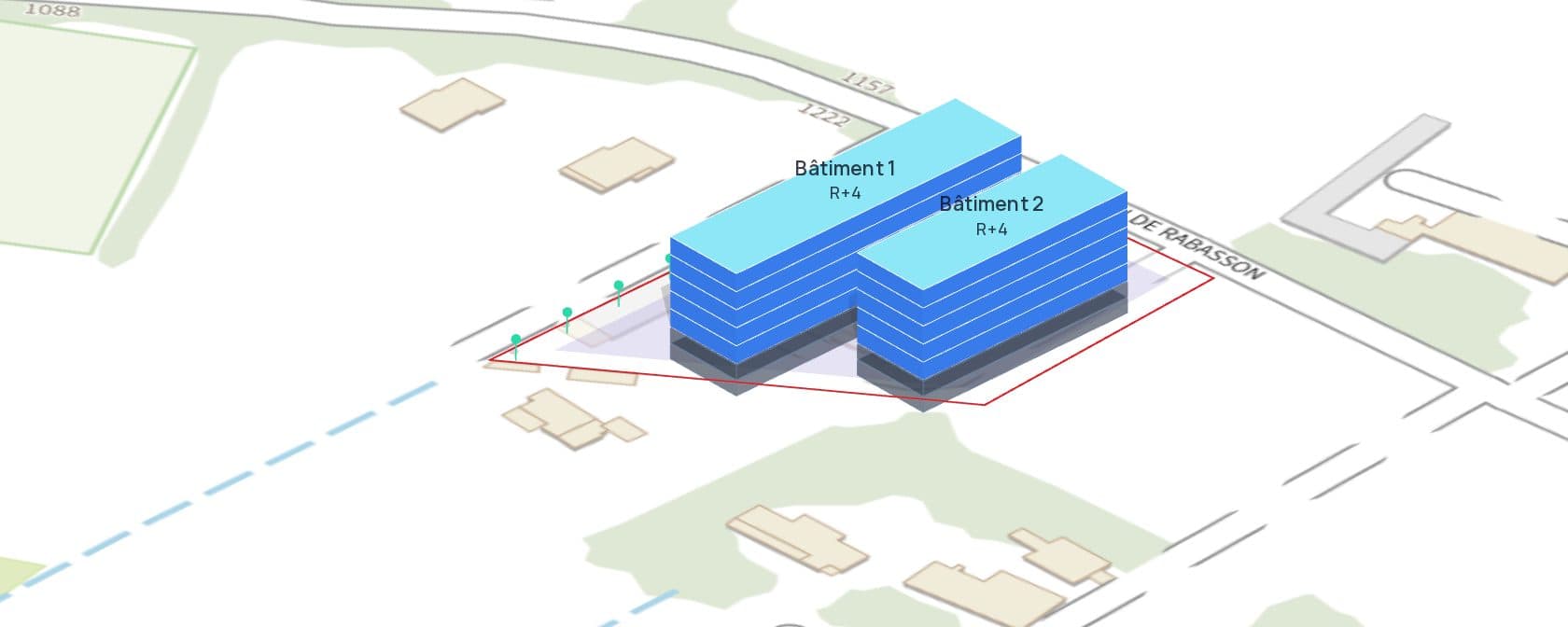
AI assistance
An assistant that works directly in the model
Ask in plain language: the assistant applies the change to the 3D model, the figures and compliance are recalculated, and the whole change can be undone in one click. It knows your project and remembers the decisions already made.
Plant a row of trees along the south-east facade and rename Building 1 “Les Oliviers”.
Applied to the model
Done: five trees are planted along the south-east facade, and Building 1 is now called “Les Oliviers”.
- Vegetation: 5 trees added
- Building 1: renamed “Les Oliviers”
- Compliance: 4/4 rules met
Feasibility report
A PDF feasibility report, ready to share in one click
This is a real report produced by Rotarchi for the demo project: location, rules, site plan, massing, areas, parking and compliance, dated and revisioned.
- Buildable potential summary and rule-by-rule compliance
- Location plan and site plan to scale, schematic section
- Area tables per level and parking
- Rules applied, calculation assumptions and points to check
Pages
13
Floor area
982 m²
Dwellings
32
Report generated by Rotarchi on a real parcel (Toulon AD 0292) with example regulations: demo document, with no regulatory value.
3D and 2D export
Take the model into your own tools
Export the version in 3D, to scale and positioned on its parcel, or its site plan as a georeferenced DWG for AutoCAD, and reuse it in your architecture software, a viewer or a 3D printer.
- File in metres, Z axis up, north along the Y axis
- Parcel coordinates in the metadata
- With or without the site and basements
- Each building named with its use and number of levels
- DWG or DXF site plan in Lambert 93, ready to overlay on the surveyor's plan
IFC 4
Open BIM — Revit, ArchiCAD, SketchUp
3DS
Coloured mesh — 3ds Max, Blender, Rhino
DWG — 2D plan
Layered, dimensioned site plan — AutoCAD, BricsCAD
student-residence.ifc
Open BIM — Revit, ArchiCAD, SketchUp
Ready
Examples
Capacity studies: housing, offices, hotels, schools…
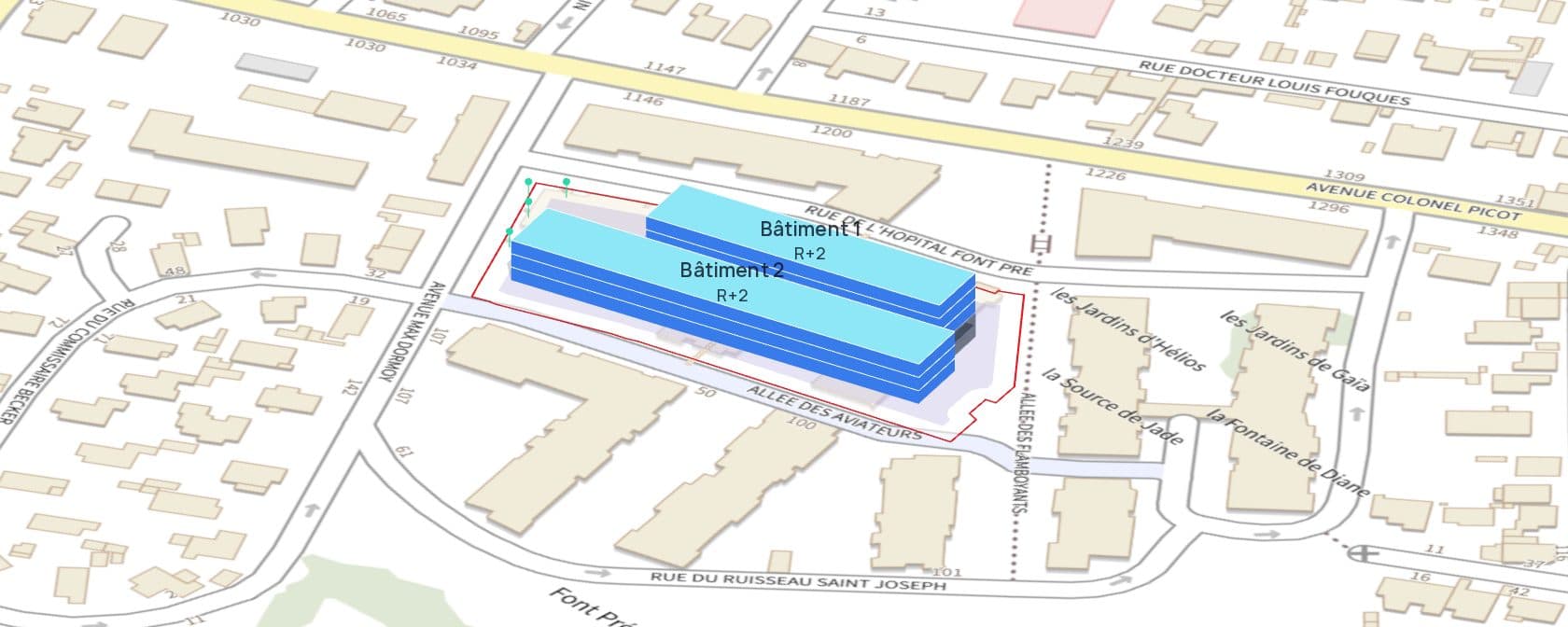
Eight projects generated by Rotarchi on real parcels in the Var. Each Optimized version meets the quantified rules of its sample regulation.
- Site
- 7,238 m²
- Floor area
- 7,078 m²
- Levels
- 3
- Height
- 10.5 m
- Spaces
- 96
- Rules met
- 4 / 4
Real parcels, sample regulations: demo projects with no regulatory value.
Before / after
What changes in your feasibility study
The same questions as today — the engine answers them on the real parcel, with figures you can check.
Reading the zoning rules
Traditional methodManual review of the local plan, article by article
With RotarchiRead by AI: quantified rules, with the excerpt quoted
Scenarios tested
Traditional methodOne or two, each redrawn by hand
With RotarchiAs many as needed, recalculated live
Parking
Traditional methodEstimated from a ratio, checked late
With RotarchiSpaces drawn one by one, accessible spaces and ramp included
Comparing versions
Traditional methodScattered files, inconsistent indicators
With RotarchiSame indicators and compliance checked for each
Deliverables
Traditional methodReport laid out by hand
With RotarchiPDF feasibility note and exported 3D model
Data and security
Official data, an isolated workspace
Official data
Parcels from the IGN cadastre, roads from BD TOPO, zoning and easements from the Géoportail de l'Urbanisme.
One workspace per organisation
Projects, versions and reports isolated per organisation, down to the database.
Roles and permissions
Owner, admin, member or viewer: everyone sees and edits what their role allows.
Protected access
Two-factor authentication available, and assistant history stays private to each user.
European AI
Rotarchi's AI runs on Mistral AI: your data is processed in the European Union and is not used to train its models.
Pricing
A free plan, and a plan for everyone
Individual plan for one person, Professional plan per seat for teams. VAT not applicable, Article 293 B of the French Tax Code (CGI).
Découverte
€0
To try the engine on a first plot.
AI quota
- 20 AI assistant messages per day
- 2 PLU analyses every 30 days
- 1 active project
- 2 versions per project
- 2 free viewers
- Watermarked report
Individual
€49/ month
Billed €588 per year
For one person without a SIREN: the whole Professional plan, just for you.
AI quota
- 300 AI assistant messages per day
- 15 PLU analyses per month
- Unlimited projects
- 10 versions per project
- One user, no viewers
- Reports with your letterhead, no watermark
- IFC and 3DS 3D export, DWG and DXF 2D plan
- 14-day right of withdrawal
Professional
€49/ seat / month
Billed €588 per seat per year
For teams that study land continuously.
AI quota
- 300 AI assistant messages per day
- 15 PLU analyses per seat per month, shared
- Unlimited projects
- 10 versions per project
- 10 free viewers
- Reports with your letterhead, no watermark
- IFC and 3DS 3D export, DWG and DXF 2D plan
Enterprise
On quote
For multi-office firms and custom regulatory frameworks, from 10 seats.
AI quota
Custom quotas, per contract
- Custom rules
- Multi-team workspaces
- Pay by invoice
- Dedicated support
FAQ
Frequently asked questions
Try Rotarchi on your next parcel
Create your first feasibility study in minutes, no credit card required.